Инструкция по запуску
Обязательно перед первым запуском
Подготовка системы
Перед первым запуском лаунчера выполните эту настройку системы.
Windows Security
Отключите необходимые компоненты Windows Defender
Обязательно
Чит взаимодействует с защищёнными процессами игры,
поэтому антивирус может заблокировать или поместить необходимые файлы в карантин.
Дополнительные требования
Сторонние антивирусы: отключите защиту перед запуском.
FACEIT Anti-Cheat: закройте или удалите его перед запуском чита.
Cheat startup
Download launcher
Download the file before following the steps below.
- Start launcher
- Paste the key using CTRL+C, CTRL+V and press “SUBMIT”
- To load the cheat, click “LOAD”
- Wait for the “Start the game!” text — the launcher will close, then open Hunt Showdown 1896 manually
- To open the menu, press the “DELETE” key on your keyboard at this moment:
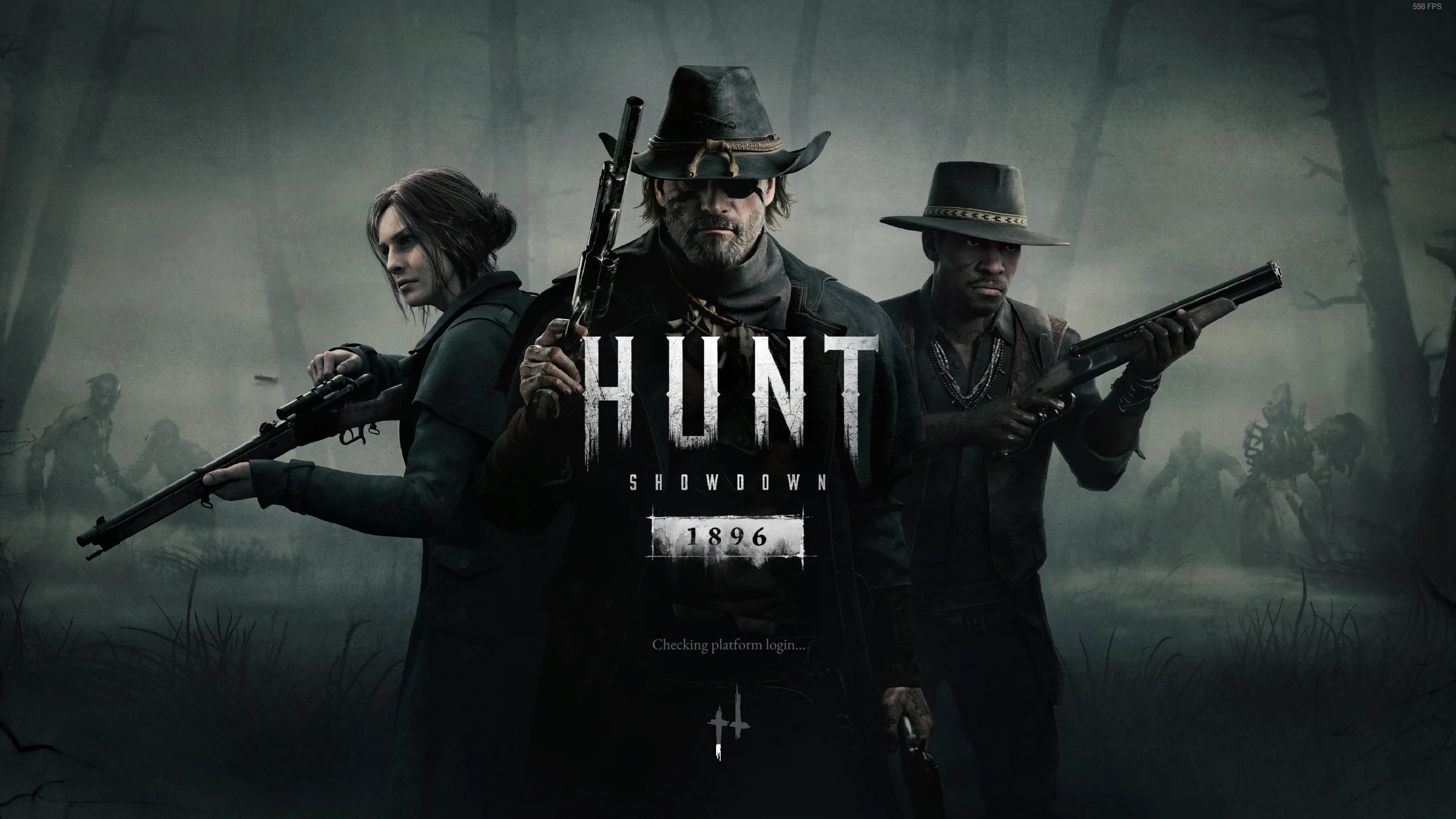
Important: press DELETE exactly at the moment shown on the screenshot above.